 PrinceShade
Dim, warm & focus
your screen
Take your Mac below its minimum brightness, warm it to cut blue light at night, and keep the window you’re working in bright while the rest fades back — all from the menu bar.
No subscriptions, no in-app purchases, no account to create.
Darker than the lowest setting
A smooth dark layer sits on top of your screen at any level you choose — well past the system brightness minimum, across every display. Drag the slider, or step it lighter and darker from the keyboard.
Warmth, independently
Shift the screen warmer to cut blue light in the evening — on its own slider, separate from the dimming. Warm the screen without dimming it, or dim it without warming.
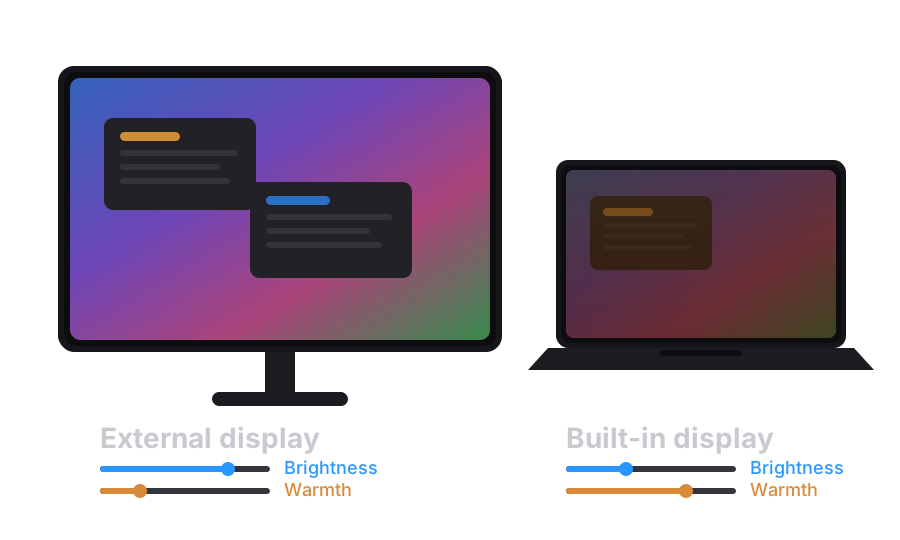
Every display, dialed in
Give your laptop screen and each external monitor its own brightness and warmth — even displays with no brightness control of their own. PrinceShade adapts as you plug and unplug.
Keep your focused window bright
Dim everything except what you’re working on. The focused window stays clear while the rest of the screen stays shaded — bright enough to read, dim enough to rest your eyes.
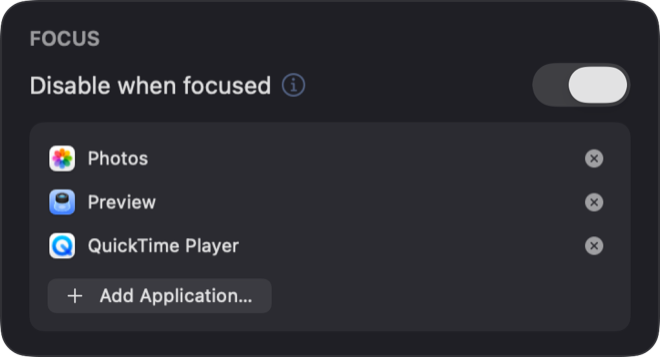
Steps aside for color-critical apps
Add your photo and video editors to the list. When one of them comes to the front, PrinceShade pauses itself — true color, automatically — then fades back when you switch away.
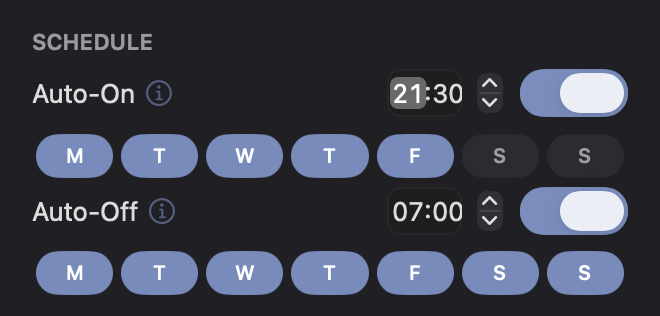
Schedules that fit your day
Auto on and off at fixed times, on the days you choose — weekdays, weekends, or any mix.
Drive it from the keyboard
Prefer your hands on the keys? Assign global shortcuts in Settings → Shortcuts and control PrinceShade from any app — even full-screen. They’re unbound by default, so you set only the ones you want.
Toggle the shade
Turn dimming on or off from anywhere.
Brightness up & down
Step the dim level lighter or darker.
Warmth up & down
Step the warmth in or out.
Good to know
Out of the way
Lives in the menu bar — no Dock icon, no window clutter. Launches at login with the shade on or off — your choice.
Private by design
No accounts, no ads, no tracking. Settings stay on your Mac. Anonymous crash reporting is on by default and can be switched off.